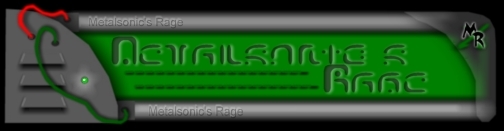
Ok, first, you'll need to save THIS IMAGE to your hard drive. Keep in mind, the image HAS TO BE IN *.BMP FORMAT so right click on the image and "save as" metalrage.bmp Ok, after you have done that, now let the fun begin.
1) Click on the "Start" button in Windows.
2) Select "Run" and type in "regedit"
3) Now select "HKEY_CURRENT_USER"
4) Now select "Software"
5) Now select "Microsoft"
6) Now select "Internet Explorer"
7) Now select "Toolbar"
8) If the right window pane doesn't have an entry called "BackBitmap," right-click on an empty space in the right window pane and select to add a new string value and call it "BackBitmap."
9) Now double click on "BackBitmap" and type in the path of the bitmap image file you would like to use as the background (example: C:\windowsmetalrage.bmp).
10)Close the registry editor. You'll have to relaunch Windows or Internet Explorer to see the changes take effect.
P.S. No one will at Metalsonic's Rage will be held responible for your stupidity. If something goes wrong, don't call us!
Oh yeah, what does everyone think of the new design for Metalsonic's Rage? It's still in beta, but it's close to being complete. Don't be afraid to tell me what you think. Just e-mail your comments here.